


If you are a 3D designer who wants to Ficuz Promote your professional services on the platform, this article is written for you!
This article will use Graphic steps, taking you from login to completion of listing, step by step to complete the "submit service project", so that potential clients can find you at a glance and place orders without getting lost.
✨ Why do I need to shelve Service Projects?
At Ficuz, we not only wait for jobs to come to us, but we can also proactively "provide services" so that brands and companies that have demand for 3D design can purchase directly.
A service project is like your "online portfolio + product page", which showcases your abilities and style. You can also set prices, delivery times, and additional services, making everything transparent and open.
📝[Step 1] Enter the "Submit a Service Project" function
1️⃣ Log in to your client account first (client account can't submit service projects!)
2️⃣ Find "Submit a Service Project" on the left menu (red arrow below)
👉 Tap in and you'll be taken to theRelease new servicesPage

📝[Step 2] Fill in the Service Information
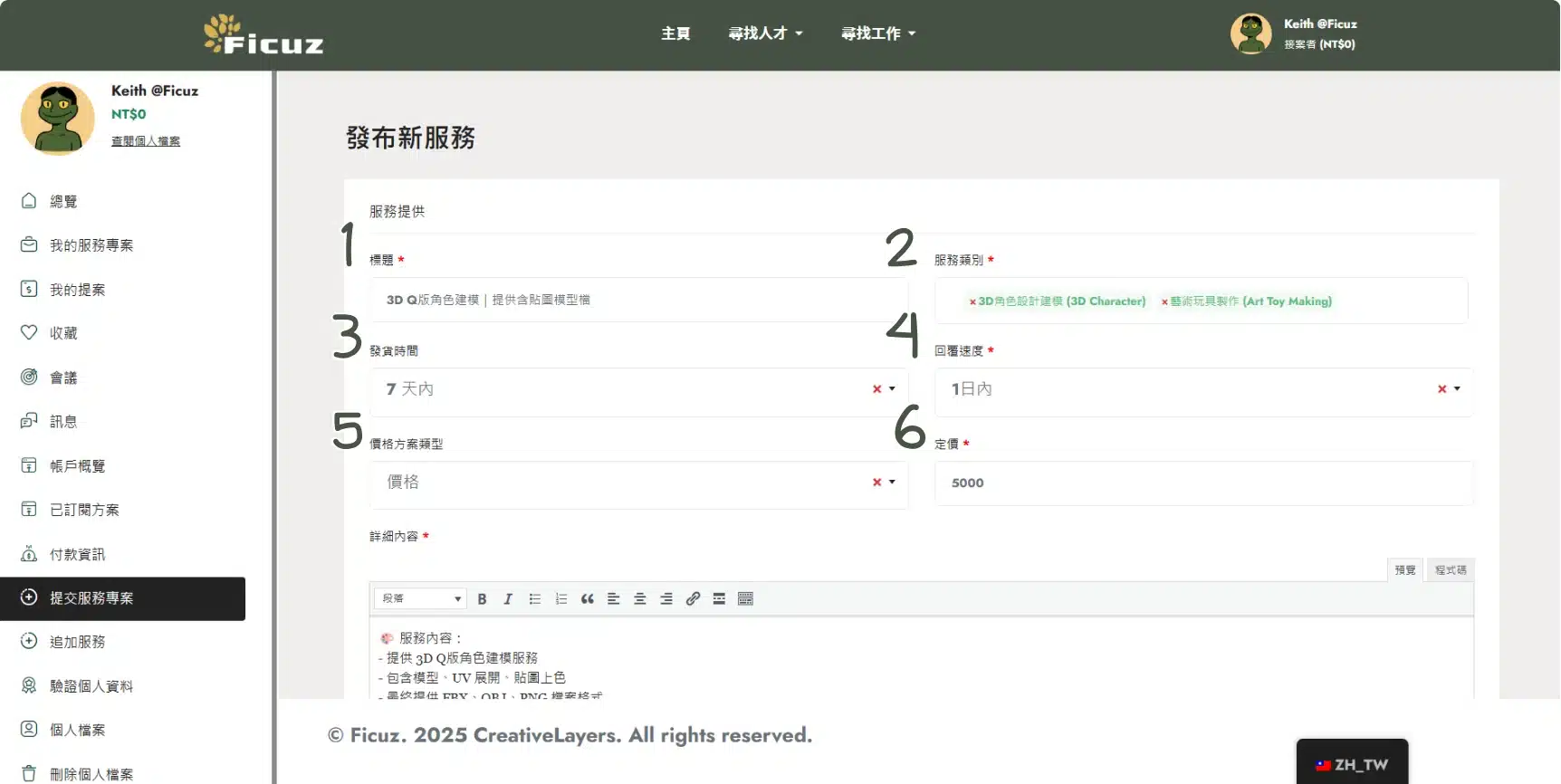
On the "Publish New Service" page, please fill in the following information in order:
🔢 1. Title
Please express your service content in a concise and powerful way, for example: "3D Q version character modeling | Provide model files with textures"
🔢 2. Service Category
Select the most appropriate category from the drop-down menu, for example: "3D Character Design Modeling", "Art Toy Making"
🔢 3. Time of occurrence
Set a delivery time (e.g. within 7 days)
🔢 4. Response speed
Let the customer know how long you will take to reply to the message. It is recommended to select "Within 1 day"
🔢 5&6. Pricing Plans
Select a price plan (price or plan type) and enter the amount
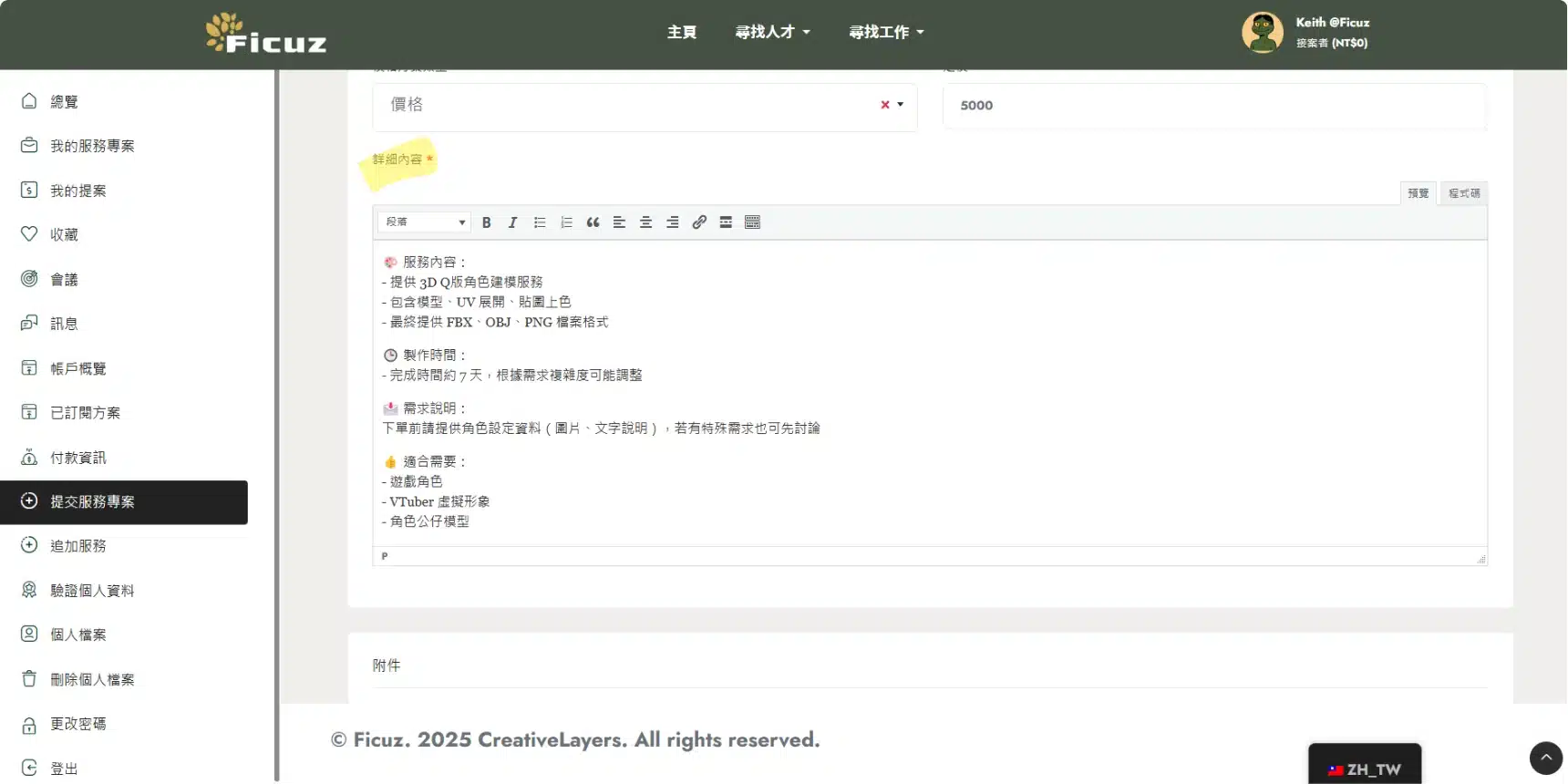
👉Details
This is the most important column!
Please use bullet points or paragraphs to clearly describe the scope of your services, deliverables, applicable objects, requirements, etc.
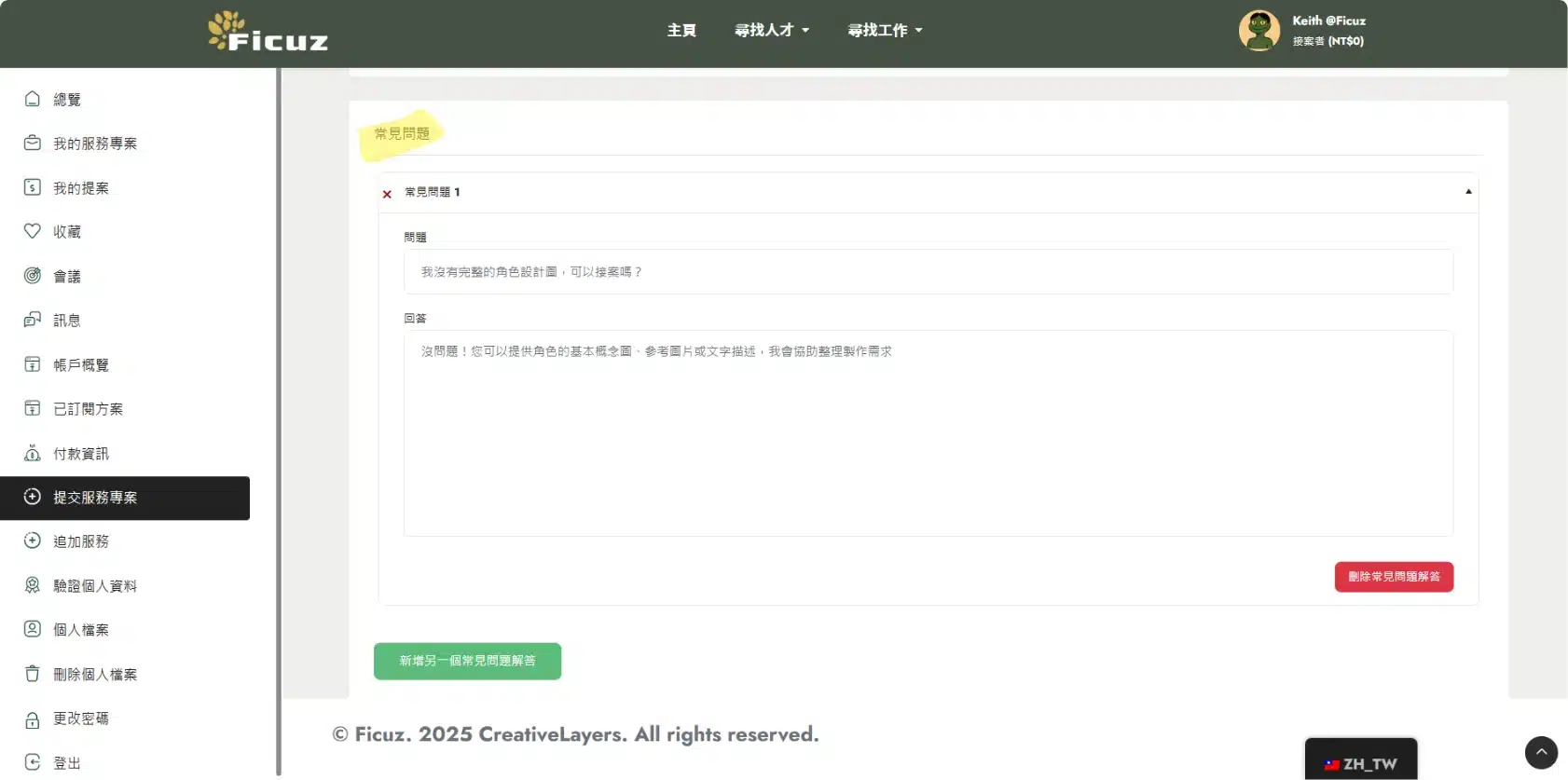
✅ A little reminder: you can join Frequently Asked Questions and Answers, helping customers understand quickly without sending messages back and forth.
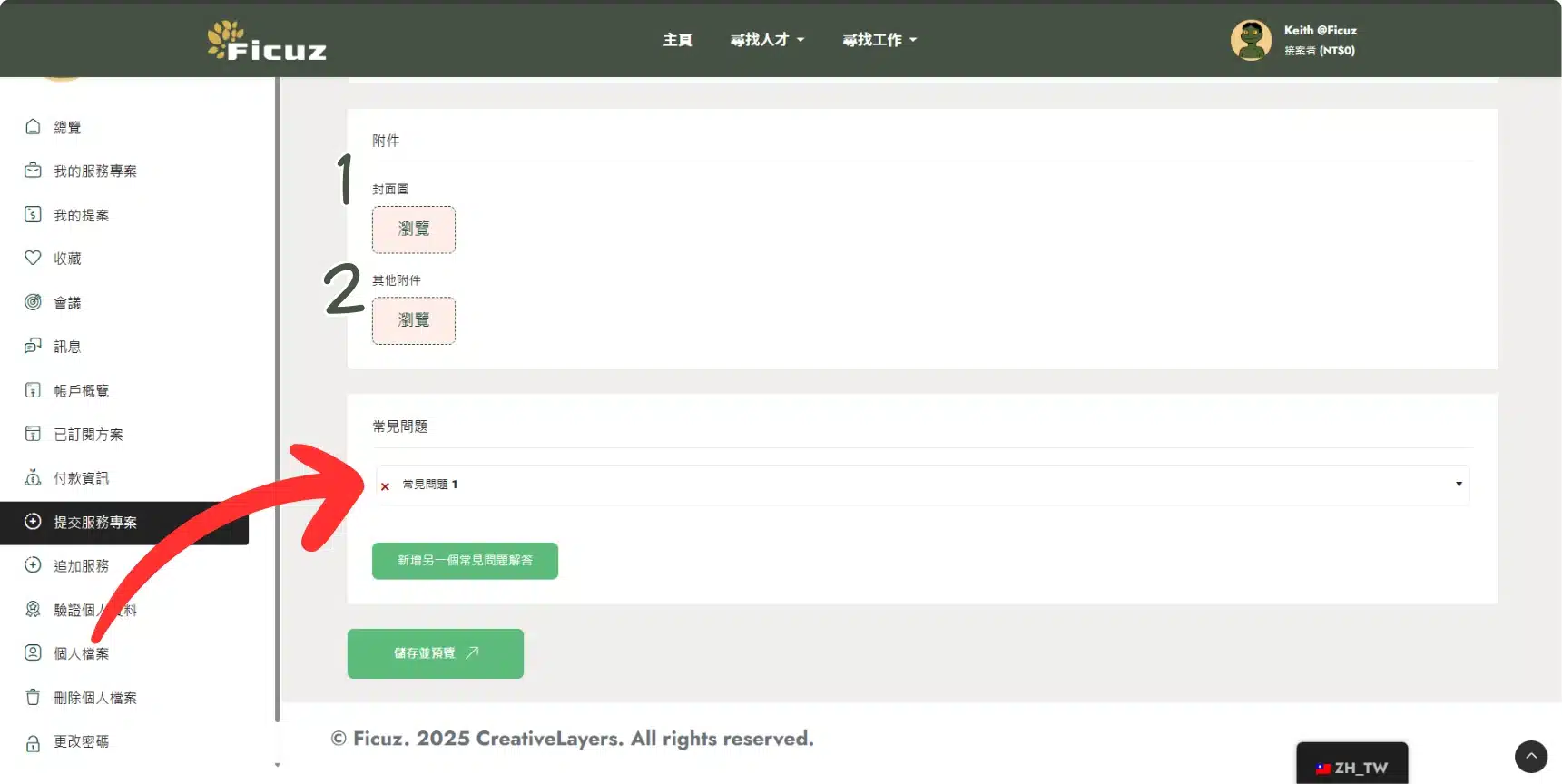
【Step 3】Upload attachments (such as cover image)
Don't forget to upload pictures of your services! Pictures are not only beautiful, but alsoHelp customers understand your professional capabilities and achievements.
1️⃣ Cover Image
The cover image will appear on the service list homepage and search results. It is recommended to select an image thatRepresents the overall service styleFor example:
✔️ Rendering of the completed 3D model
✔️ Portfolio Cover
✔️ Schematic of the Q version of the character
2️⃣ Other attachments (display of works)
In the "Other Attachments" column, it is recommended to upload a few more photos or files of your work so that the client can directly see your ability and actual style:
✔️ Supplemental renderings of different angles and materials
✔️ Past Projects
✔️ Related design sketches or mockups
✔️ Animation, Carousel, GIF Showcase
👉 Showing more "real-life examples" will give principals more confidence in your services and make it easier for them to place orders!
✅ Don't worry about being perfect., even if it is a draft or past practice work, it can help the other party understand your style and technical range.
【Step 4】Complete submission
When all fields are filled in, click [Save and Preview] or [Submit Service] below and you're done!
The screen will display a prompt message "Service listed successfully".

At this point, your service project has been made public on the platform. Clients can purchase it directly or contact you through messages.
Listing tips: Make your service visible
✅ Precise title, including Keywords(such as "Q version characters", "3D modeling")
✅ Clearly illustrated and well-illustrated
✅ Add FAQ to minimize back-and-forth questions
✅ Set a reasonable delivery time to avoid overruns affecting evaluations
✅ Pricing strategy: can be adjusted gradually with reference to the market price
Conclusion
Listing a service project on Ficuz is not just a display, but also a proactive attack!
Having your own "service product page" is like opening an online store, waiting for customers to come at any time.
Log in to Ficuz now and promote your 3D design expertise!
👉 Submit a service case now ➜ https://ficuz.net/submission-service/

 EN
EN  ZH_TW
ZH_TW